A new login method has been introduced to the Point of Sale and QuickPOS systems.
This new method eliminates the need for users to enter an operator code to process transactions, instead requiring a Sales Rep code for each transaction. This streamlined login process allows businesses to manage POS operations more efficiently, especially when retail staff share point-of-sale logins.
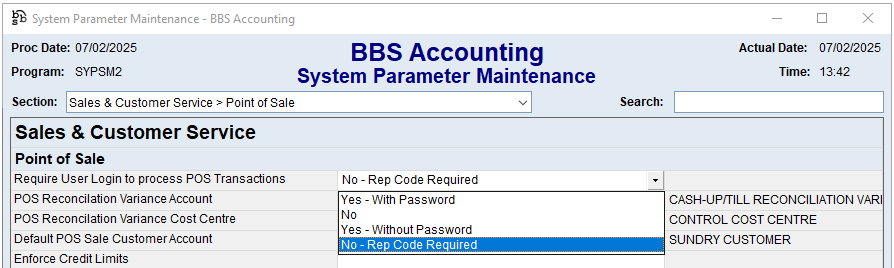
With this option selected, users will not need to enter an operator code to process a POS transaction, however a Sales Rep code will be required.
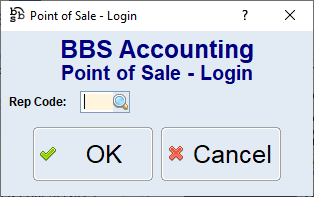
All transactions will be processed under the operator code that is logged into BBS. All sales will be set to the sales rep code entered.
Users can click cancel on this screen to enter an alternate operator code in the Point of Sale (eg a manager) to be able to perform manager functions however in this case, they will be required to enter their BBS password.

This new option allows companies to only have to create sales rep codes for retail staff that share point of sale logins instead of having to create full system operators for each.
This new option can be implemented for any existing BBS users that are currently set to enter an operator code without a password to process POS sales, should you no longer wish to create system operators for all retail staff members.
Note: To use this new option your system cannot be set to use Acct Mgrs code on sales orders and invoices it must be set to use operators rep code. Please refer to System Parameters > Sales & Customer Service > Sales Ordering for more information.